
Free Online Ruler & Measurement Tools
Measure physical objects directly against your screen, calculate display pixel density (PPI), measure geometric angles with an interactive protractor, and download 100% true-scale printable rulers.
Available Measurement Tools
Every tool is engineered for instant client-side execution, high visual contrast, mobile touch responsiveness, and calibrated physical accuracy.

Online Ruler (Actual Size)
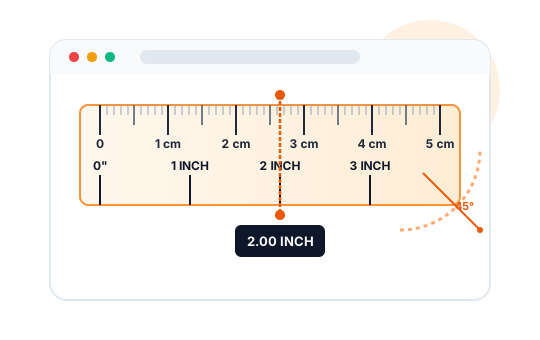
Accurate on-screen physical ruler supporting inches, centimeters, millimeters, fraction graduations, and custom screen calibration.
Open Tool
Printable Ruler PDF
Download free 12-inch (30 cm) and 8-inch (20 cm) printable rulers in US Letter and A4 formats. Vector accuracy at 100% true scale.
Open Tool
PPI Calculator (Pixel Density)
Calculate display pixel density (PPI), pixel pitch, diagonal pixel count, aspect ratio, and physical display dimensions instantly.
Open Tool
Online Interactive Protractor
Measure angles with an interactive 180° and 360° protractor arm. Includes degree readout, angle classification, touch controls, and printable templates.
Open Tool
Length & Distance Unit Converter
Instantly convert lengths between inches, centimeters, millimeters, feet, yards, meters, miles, and kilometers with step-by-step conversion formulas.
Open ToolWhy Use Online Measurement Tools?
Whether you are working from home, assembling DIY furniture, sizing a bolt or screw, verifying graphic design dimensions, or completing school homework, having a reliable physical ruler on hand is not always possible. Modern computer monitors, smartphones, and tablets can function as remarkably accurate measuring instruments when calibrated to their true display pixel density.
Veewom Online Measurement Tools bridges the gap between digital pixels and real-world inches and centimeters. By combining HTML5 Canvas vector rendering with an intuitive credit-card calibration system, our virtual ruler ensures that one inch on your screen matches exactly one physical inch in real life.
No web application can predict the exact physical dimensions of your display without calibration. Different screens have varying pixel pitches: a 24-inch 1080p desktop monitor displays approximately 92 to 96 PPI, whereas a modern smartphone screen packs over 400 PPI. Using our standardized 85.60 mm credit-card calibrator locks in your screen's exact scale in seconds.
Key Features of the Veewom Measurement Suite
- Actual Size Screen Ruler: Measure real-world items directly on your monitor or phone screen in inches (with 1/8", 1/16", and 1/32" graduations) and millimeters/centimeters.
- Vector Printable Rulers (PDF): Print 12-inch / 30-cm and 8-inch / 20-cm rulers on standard US Letter (8.5 × 11 in) or international A4 paper at true 100% scale.
- Interactive 360° Protractor: Measure physical angles or digital diagrams using a rotatable measurement arm with real-time degree and radian readouts.
- PPI & Pixel Density Calculator: Calculate the exact pixel density, pixel pitch, and aspect ratio of any monitor, laptop, tablet, or smartphone display.
- Length Unit Converter: Effortlessly convert between inches, feet, yards, miles, millimeters, centimeters, meters, and kilometers with step-by-step conversion formulas.
- Local Storage Persistence: Save your calibrated screen settings securely in your browser so you never need to recalibrate on subsequent visits.