
- Home
- DTH Frequencies
- Tata Play / Tata Sky Frequencies (GSAT-24)
Tata Play (Tata Sky) New Frequency List 2026: Satellite GSAT-24 & GSAT-30 Transponders, Strong TP, Dish Setting & Signal Troubleshooting
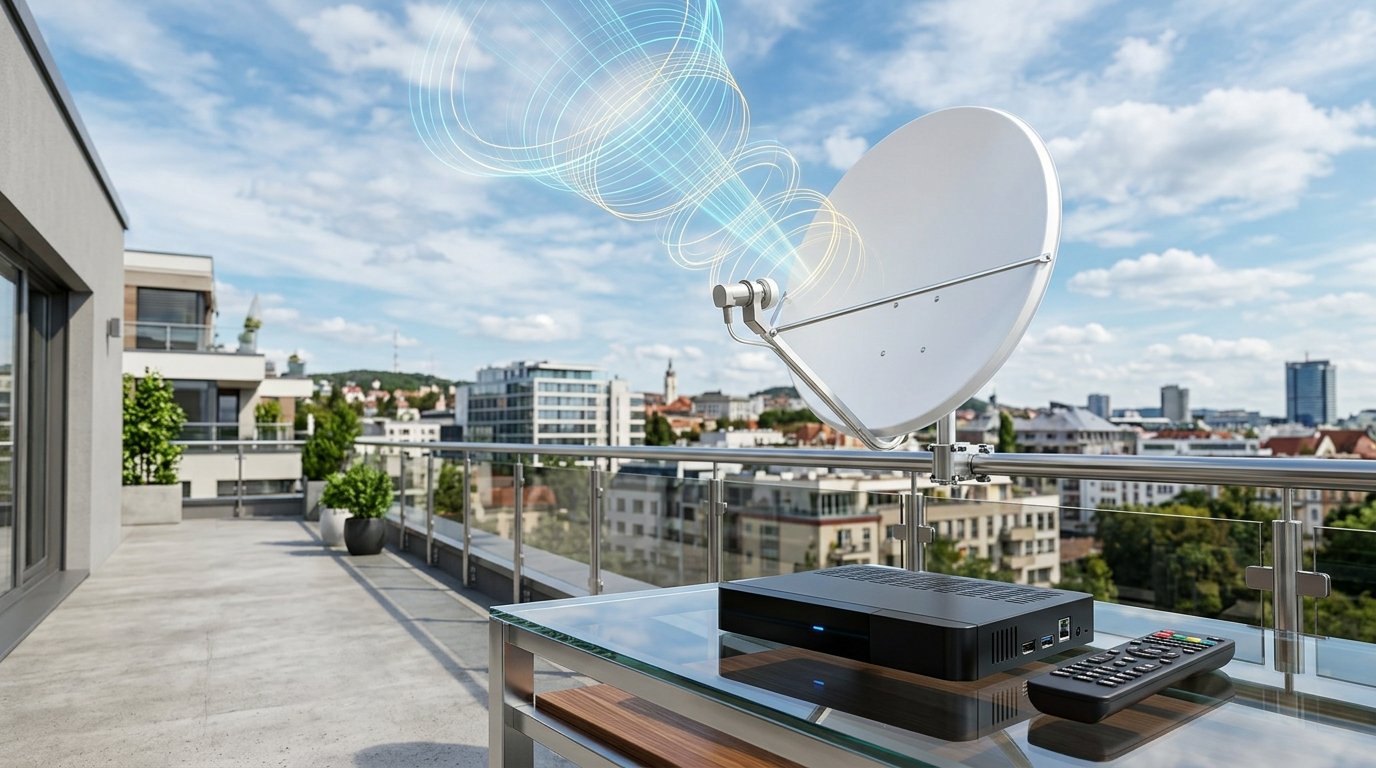
Searching for the latest and officially verified Tata Play (formerly Tata Sky) frequency list for 2026? Whether you are installing a new Tata Play HD connection, re-aligning your rooftop dish antenna after rough monsoon weather or high winds, setting up a digital satellite dB meter, or resolving the frustrating "No Signal (Error 101 / 102)" prompt on your television screen, this comprehensive master engineering guide covers everything you need.
Tata Play has expanded its direct-to-home broadcast infrastructure by migrating high-throughput transponders to India's dedicated telecommunication satellite, GSAT-24, launched by ISRO via NewSpace India Limited (NSIL). Co-located at the identical geostationary orbital slot of 83.0° East alongside GSAT-30 and GSAT-10, the new satellite provides significantly higher signal downlink power, greater rain fade resistance during heavy monsoons, and crystal-clear transmission for 4K UHD and Full HD channels across the entire Indian subcontinent.
Tata Play Quick Technical Reference (2026)
Quick Navigation (Jump to Section)
- 1. Strong Transponder (Home Frequency) for Instant Dish Tracking
- 2. Complete Tested Tata Play GSAT-24 Frequency List (2026)
- 3. Legacy GSAT-30 / GSAT-10 Transponder Frequency List
- 4. Step-by-Step Dish Alignment Guide: Azimuth, Elevation & LNB Skew
- 5. Pan-India City-Wise Dish Alignment Angles Table
- 6. How to Access Hidden STB Installer Menu (PIN 222 & 0505)
- 7. "No Signal" (Error 101/102/103) 6-Point Diagnostic Decision Tree
- 8. Frequently Asked Questions (FAQ)
- 9. Related DTH Frequency Lists
1. The Strong Transponder (Home Frequency) for Instant Dish Tracking
When aligning a parabolic satellite dish antenna manually or utilizing a digital satellite dB meter, you must never scan frequencies at random. Every geostationary orbit hosts multiple transponders broadcasting at varying signal strengths. Tracking a weak transponder will result in hours of fruitless dish movement, while locking onto an unauthorized frequency might point your antenna toward an adjacent satellite (such as INSAT-4B at 93.5°E or SES-7 at 108.2°E).
To acquire an instant, reliable signal lock for Tata Play, configure your digital SatFinder or set-top box manual tuning window to the Tested Strong Transponder (Strong TP) below:
Primary Strong Transponder for Tata Play
Program these exact parameters into your digital satellite meter or STB transponder setting:
Alternate High-Gain GSAT-24 TP: Frequency: 11880 MHz | Pol: V (Vertical) | Symbol Rate: 32720 Ksps | Modulation: DVB-S2 8PSK.
11010 H 32720 frequency carries the core Tata Play Network Information Table (NIT) beacon and electronic program guide (EPG) stream. Once your satellite meter registers above 75% quality on this frequency, all other Ku-band transponders across both GSAT-24 and GSAT-30 will automatically lock with zero missing channels.

2. Complete Tested Tata Play GSAT-24 Frequency List (2026)
The table below provides the complete, field-tested transponder roster active on GSAT-24 at 83.0° East. Built exclusively for Tata Play with 24 dedicated Ku-band transponders, this fleet delivers maximum carrier-to-noise ratio (C/N), modern 8PSK modulation, and higher symbol rates (up to 34280 Ksps) to support high-definition sports multiplexes, 4K UHD feeds, and OTT Binge+ hybrid data streams.
| # | Satellite | Downlink Freq (MHz) | Pol | Symbol Rate (Ksps) | Modulation | FEC | Service / Quality |
|---|---|---|---|---|---|---|---|
| 01 | GSAT-24 (83.0°E) | 11720 | H | 32720 | DVB-S2 8PSK | 3/4 | HD & SD Bouquet |
| 02 | GSAT-24 (83.0°E) | 11720 | V | 32720 | DVB-S2 8PSK | 3/4 | National HD Feeds |
| 03 | GSAT-24 (83.0°E) | 11760 | H | 32720 | DVB-S2 8PSK | 3/4 | Hindi Entertainment |
| 04 | GSAT-24 (83.0°E) | 11760 | V | 32720 | DVB-S2 8PSK | 3/4 | Sports & Live HD |
| 05 | GSAT-24 (83.0°E) | 11800 | H | 32720 | DVB-S2 8PSK | 3/4 | Infotainment / Kids |
| 06 | GSAT-24 (83.0°E) | 11800 | V | 32720 | DVB-S2 8PSK | 3/4 | News & Music HD |
| 07 | GSAT-24 (83.0°E) | 11840 | H | 32720 | DVB-S2 8PSK | 3/4 | English Movies |
| 08 | GSAT-24 (83.0°E) | 11840 | V | 32720 | DVB-S2 8PSK | 3/4 | Regional HD Pack |
| 09 | GSAT-24 (83.0°E) | 11880 | H | 32720 | DVB-S2 8PSK | 3/4 | Strong TP (South) |
| 10 | GSAT-24 (83.0°E) | 11880 | V | 32720 | DVB-S2 8PSK | 3/4 | Strong TP (North) |
| 11 | GSAT-24 (83.0°E) | 11920 | H | 32720 | DVB-S2 8PSK | 3/4 | Premium HD Cinema |
| 12 | GSAT-24 (83.0°E) | 11920 | V | 32720 | DVB-S2 8PSK | 3/4 | Binge+ Data Services |
| 13 | GSAT-24 (83.0°E) | 11960 | H | 34280 | DVB-S2 8PSK | 5/6 | High-Throughput HD |
| 14 | GSAT-24 (83.0°E) | 11960 | V | 34280 | DVB-S2 8PSK | 5/6 | 4K UHD Multiplex |
| 15 | GSAT-24 (83.0°E) | 12000 | H | 34280 | DVB-S2 8PSK | 5/6 | High Capacity HD |
| 16 | GSAT-24 (83.0°E) | 12000 | V | 34280 | DVB-S2 8PSK | 5/6 | Regional Multiplex |
| 17 | GSAT-24 (83.0°E) | 12040 | H | 34280 | DVB-S2 8PSK | 5/6 | Sports HD Bouquet |
| 18 | GSAT-24 (83.0°E) | 12040 | V | 34280 | DVB-S2 8PSK | 5/6 | Movie Premiere HD |
| 19 | GSAT-24 (83.0°E) | 12080 | H | 34280 | DVB-S2 8PSK | 5/6 | General Entertainment |
| 20 | GSAT-24 (83.0°E) | 12080 | V | 34280 | DVB-S2 8PSK | 5/6 | OTA Firmware & EPG |
3. Legacy GSAT-30 / GSAT-10 Transponder Frequency List
For millions of existing legacy set-top box installations across India, the original 24 Ku-band transponders broadcasting on GSAT-30 & GSAT-10 at 83.0° East remain active and functioning in tandem with GSAT-24. Because all three satellites share the identical orbital coordinate, both old and new frequency rosters are downlinked simultaneously through the exact same Ku-band LNBF.
| Satellite | Frequency (MHz) | Polarization | Symbol Rate | Quality / Format | Transmission |
|---|---|---|---|---|---|
| 83.0°E - GSAT-30 | 10970 | V | 32720 | MPEG-4 / SD | DVB-S2 |
| 83.0°E - GSAT-30 | 10970 | H | 32720 | MPEG-4 / SD | DVB-S2 |
| 83.0°E - GSAT-30 | 11010 | V | 32720 | MPEG-4 / SD | DVB-S2 |
| 83.0°E - GSAT-30 | 11010 (Strong TP) | H | 32720 | MPEG-4 / Primary Beacon | DVB-S2 |
| 83.0°E - GSAT-30 | 11050 | V | 32720 | MPEG-4 / SD | DVB-S2 |
| 83.0°E - GSAT-30 | 11050 | H | 32720 | MPEG-4 / SD | DVB-S2 |
| 83.0°E - GSAT-30 | 11090 | V | 32720 | MPEG-4 / SD | DVB-S2 |
| 83.0°E - GSAT-30 | 11090 | H | 32720 | MPEG-4 / SD | DVB-S2 |
| 83.0°E - GSAT-30 | 11130 | V | 32720 | MPEG-4 / SD | DVB-S2 |
| 83.0°E - GSAT-30 | 11130 | H | 32720 | MPEG-4 / SD | DVB-S2 |
| 83.0°E - GSAT-30 | 11170 | V | 32720 | MPEG-4 / SD | DVB-S2 |
| 83.0°E - GSAT-30 | 11170 | H | 32720 | MPEG-4 / SD | DVB-S2 |
| 83.0°E - GSAT-30 | 11470 | V | 32720 | MPEG-4 / HD | DVB-S2 |
| 83.0°E - GSAT-30 | 11470 | H | 32720 | MPEG-4 / HD | DVB-S2 |
| 83.0°E - GSAT-30 | 11510 | V | 32720 | MPEG-4 / HD | DVB-S2 |
| 83.0°E - GSAT-30 | 11510 | H | 32720 | MPEG-4 / HD | DVB-S2 |
| 83.0°E - GSAT-30 | 11550 | V | 32720 | MPEG-4 / HD | DVB-S2 |
| 83.0°E - GSAT-30 | 11550 | H | 32720 | MPEG-4 / HD | DVB-S2 |
| 83.0°E - GSAT-30 | 11590 | V | 32720 | MPEG-4 / HD | DVB-S2 |
| 83.0°E - GSAT-30 | 11590 | H | 32720 | MPEG-4 / HD | DVB-S2 |
| 83.0°E - GSAT-30 | 11630 | V | 32720 | MPEG-4 / HD | DVB-S2 |
| 83.0°E - GSAT-30 | 11630 | H | 32720 | MPEG-4 / HD | DVB-S2 |
| 83.0°E - GSAT-30 | 11670 | V | 32720 | MPEG-4 / HD | DVB-S2 |
| 83.0°E - GSAT-30 | 11670 | H | 32720 | MPEG-4 / HD | DVB-S2 |
4. Step-by-Step Dish Alignment Guide: Azimuth, Elevation & LNB Skew
Many online guides offer crude advice such as "just look at your neighbor's roof and guess the direction." In digital satellite telecommunications, an offset parabolic dish has an effective beamwidth of less than 2.8 degrees. Being off by even 2 millimeters will cause signal quality to plummet from 90% straight to 0%.
Aligning a Tata Play dish antenna requires mastering three precise geometric coordinates:
1 Azimuth Angle (Horizontal Compass Bearing)
Azimuth is the horizontal compass direction in which the parabolic dish must point relative to True North. For GSAT-24 located at 83.0° East, your dish must face roughly South-East across the Indian subcontinent (typically between 130° and 155° magnetic bearing depending on your state). Loosen the base clamp bolts slightly so the dish can swivel smoothly left and right.
2 Elevation Angle (Vertical Tilt on Bracket Scale)
Elevation represents the angle of inclination of the dish above the horizontal plane. Stamped directly onto the metal mounting bracket of genuine Tata Play antennas is a graduated degree scale. Depending on latitude, the elevation varies from 50° in Northern India (e.g., Delhi, Punjab) to 66° in Southern India (e.g., Bengaluru, Chennai). Loosen the side bracket bolts, set the pointer to your city's exact elevation, and snug the bolts lightly.
3 LNB Skew Angle (Polarization Tilt)
Because the Earth is curved, the satellite's transmitted horizontal and vertical waves arrive at your dish at a slight tilt. LNB Skew is the rotational angle of the Ku-Band LNBF inside its plastic holder collar. For 83.0°E reception, the LNB must be rotated anti-clockwise between -15° and -25° (when standing directly in front of the dish looking into the dish face). If the skew is left completely vertical at 0°, Horizontal and Vertical transponders cross-bleed, dropping signal quality below threshold.


5. Pan-India City-Wise Dish Alignment Angles Table (GSAT-24 at 83.0°E)
Use the comprehensive reference chart below to locate the precise Azimuth, Elevation, and LNB Skew coordinates for your specific city. These values are mathematically calculated for geostationary slot 83.0°E:
| City / Region | Azimuth (Magnetic °) | Azimuth Direction | Elevation (Tilt °) | LNB Skew (°) |
|---|---|---|---|---|
| New Delhi / NCR | 145.2° | South-East | 52.8° | -21.4° |
| Mumbai (Maharashtra) | 132.6° | South-East | 62.5° | -17.2° |
| Kolkata (West Bengal) | 178.4° | South | 57.4° | -1.8° |
| Chennai (Tamil Nadu) | 152.1° | South-East | 65.8° | -12.4° |
| Bengaluru (Karnataka) | 148.5° | South-East | 66.2° | -14.1° |
| Hyderabad (Telangana) | 147.3° | South-East | 61.4° | -15.6° |
| Ahmedabad (Gujarat) | 133.8° | South-East | 57.6° | -21.8° |
| Pune (Maharashtra) | 134.5° | South-East | 62.8° | -16.5° |
| Jaipur (Rajasthan) | 141.2° | South-East | 53.9° | -22.1° |
| Lucknow (Uttar Pradesh) | 159.4° | South-East | 54.7° | -14.2° |
| Patna (Bihar) | 170.8° | South-South-East | 55.8° | -8.6° |
| Guwahati (Assam) | 195.2° | South-South-West | 53.2° | +7.8° |
| Chandigarh / Punjab | 143.1° | South-East | 50.2° | -22.6° |
| Bhopal (Madhya Pradesh) | 146.4° | South-East | 58.3° | -17.5° |
| Kochi (Kerala) | 147.2° | South-East | 67.5° | -12.8° |
| Bhubaneswar (Odisha) | 169.5° | South-South-East | 60.1° | -7.4° |
| Srinagar (J&K) | 141.6° | South-East | 46.8° | -24.2° |
| Ranchi (Jharkhand) | 168.1° | South-South-East | 57.2° | -9.5° |
| Dehradun (Uttarakhand) | 145.8° | South-East | 51.3° | -21.1° |
| Raipur (Chhattisgarh) | 155.7° | South-East | 60.8° | -13.4° |
6. How to Access the Hidden STB Installer Menu (PIN 222 & 0505)
Standard consumer menus on the Tata Play set-top box lock out RF tuning parameters to prevent accidental configuration errors. Professional satellite installers and technicians use a secret keypad sequence on the remote to reveal the Installer Setup & Signal Test Utility.
Follow these exact steps to unlock the installer window on any Tata Play SD, HD, or Binge+ set-top box:
A The Remote Shortcut Sequence
Power on your television and Tata Play STB. Press the Home button on your remote control. Within 2 seconds, sequentially press 2 - 2 - 2. If your remote does not respond to 222, navigate to Settings > System Setup > press 0 - 5 - 0 - 5 or press Select while holding the physical Standby button on the STB front panel.
B Verify LNB Setup Parameters
Within the Installer Setup window, select LNB Setup. Confirm that LNB Type is set to Universal, Low LO Freq is 09750, High LO Freq is 10600, and 22KHz Tone is set to Auto. (Never set LNB Type to Standard 05150; standard is for C-Band dishes and will cause 0% signal lock).
C Open the Signal Test Screen
Select Signal Test from the installer menu. The screen will display live graphical signal meters for Signal Strength and Signal Quality along with the carrier lock state. Slowly micro-adjust your dish azimuth and elevation until:
- Signal Strength: Measures 70% to 85% (Solid Blue Bar)
- Signal Quality: Measures 80% to 95% (Solid Green Bar)
- Tuner Status: Displays "LOCKED"

7. "No Signal" (Error 101/102/103) 6-Point Diagnostic Decision Tree
Experiencing "No Signal is being received (Error Code 102)" or "Searching for satellite signal (Error 101)"? Before paying an expensive technician call-out fee, run through this 6-point diagnostic checklist to identify and resolve the issue in minutes:

2. Inspect the RG-6 Coaxial Cable & F-Connectors: Unplug the coaxial cable screw connector from the "LNB IN" port on the back of your STB. Inspect the copper center core pin—ensure it is straight, unoxidized, and not bent. Verify that fine metallic copper braiding is not touching the center conductor (which causes an RF short circuit). Also inspect the roof connection at the LNB horn for moisture ingress.
3. Verify Line of Sight: A clear line of sight to the 83.0°E southeastern sky is mandatory. Check whether a fast-growing tree branch, newly constructed building wall, metal clothesline, or solar water heater has obstructed the direct visual angle between your dish reflector and the sky.
4. Re-tighten Mounting Bolts & Skew: Heavy winds, birds, or monkeys often jostle the dish reflector by a fraction of an inch. Ensure all 4 wall bracket expansion anchor bolts and the azimuth swivel collar nuts are securely tightened. Check that the LNB has not rotated loose to vertical (re-adjust skew to -15° to -25°).
5. The Missed Call Over-The-Air (OTA) Refresh: Sometimes the satellite signal is physically locked at 85% quality, but your screen remains black with an error message because your account authorization keys expired during a prolonged power outage. With your STB turned ON, give a missed call to 90405 90405 from your Registered Mobile Number (RMN) or send an SMS formatted as HR <Subscriber ID> to 56633. Wait 3 minutes for the authorization packet to reload.
6. Official Support & Helpline: If physical dish damage has occurred or internal LNBF failure is suspected, contact Tata Play official 24x7 customer support toll-free at 1800 208 6633.
8. Frequently Asked Questions (FAQ)
Which satellite is used for Tata Play (Tata Sky) in India?
What is the strong frequency (Strong TP) for Tata Play dish alignment?
What is the Universal LNB frequency for Tata Play?
How do I access the hidden installer menu on Tata Play remote?
What should be the minimum signal strength and quality for Tata Play?
Do I need to replace my dish antenna or LNB for the GSAT-24 satellite?
Can I use a DD Free Dish or Dish TV dish antenna for Tata Play?
How can I perform a Master Reset on my Tata Play set-top box?
Why are only half of the channels working while others show No Signal?
How can I refresh my Tata Play box via missed call?
9. Related DTH Satellite Frequency Guides
Explore verified Ku-Band transponder lists for other major Indian DTH networks:


You may also like this!
© Veewom.com. | Managed by PinePL
