
Knoppix Linux Guide: The Live CD Revolution & System Rescue
Every time you insert a live bootable USB stick to test Ubuntu, install Fedora, or salvage data from a crashed laptop, you are using technology originally invented by one person: Klaus Knopper. In the year 2000, Knoppix shook the technology world by demonstrating the first operating system that booted entirely from optical media into RAM without installing a single byte to the hard drive.
cloop), automatic hardware probing, and ramdisks so anyone could pop a CD into any computer and experience a full Debian desktop in 60 seconds flat!
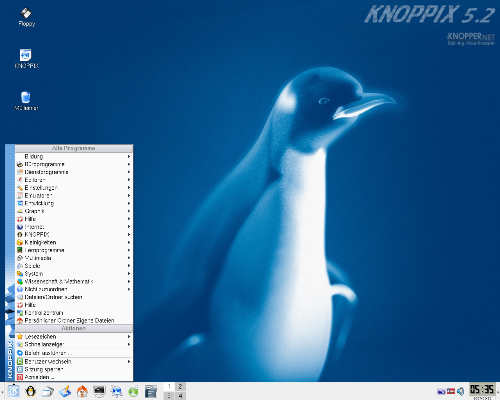
1. The Engineering Secrets of Knoppix
How did Knoppix achieve the impossible in the year 2000?
- Compressed Loopback Device (cloop): Standard CD-ROMs held only 700MB. Knopper invented a kernel module that compressed over 2GB of Debian software into a single 680MB file. As the CPU requested files, cloop decompressed them on the fly in system memory with imperceptible latency.
- Union Filesystems (UnionFS / OverlayFS): Optical discs are strictly read-only. To allow programs to create temporary files, sockets, and configuration edits, Knoppix merged the read-only optical layer with a dynamic writable RAM disk (
tmpfs). The user could install software in RAM while the disc remained read-only! - Unrivaled Hardware Auto-Detection: At boot, Knoppix ran low-level DDC (Display Data Channel) and PCI bus queries, configuring graphics resolutions, network drivers, and audio controllers automatically.
2. The Ultimate System Rescue & Forensic Tool
While modern distributions now all include live media, Knoppix remains the undisputed champion for emergency data recovery and diagnostics:
- Rescuing Dead Windows PCs: When a Windows computer experiences a Blue Screen of Death (BSOD), ransomware infection, or registry corruption and refuses to boot, booting Knoppix allows you to mount the NTFS drive in read-only mode and copy personal photos, databases, and documents safely to an external USB drive or network share.
- Hardware Verification: If a technician suspects a computer has a failing motherboard, faulty sound card, or defective network chip, booting Knoppix proves immediately whether the fault is hardware or simply a corrupted Windows driver.
- Forensics & Cloning: Pre-loaded with tools like
ddrescue,testdisk,photorec, andgparted, technicians can recover deleted partitions and clone failing sectors cleanly.
Beginner Student Practice Lab: Emergency Data Rescue Basics
Hands-on Lab: Mounting Drives in Read-Only Mode
When recovering data from an unstable or corrupted hard drive, writing to the drive can cause permanent file loss. Practice mounting storage safely:
- Identify all attached disks and partition layouts:
sudo lsblk -f - Create a mount point directory:
sudo mkdir -p /mnt/rescue_drive - Mount the partition strictly in READ-ONLY mode:
sudo mount -o ro /dev/sda1 /mnt/rescue_driveThis guarantees that no writes, file access timestamp updates, or virus activities can modify the troubled disk.
- Recover files securely using rsync:
rsync -avh --progress /mnt/rescue_drive/Users/John/Documents/ /media/backup_usb/
Frequently Asked Questions (FAQs)
ntfs-3g). Even when Windows cannot boot due to registry damage or boot sector corruption, Knoppix can mount the drive, bypass Windows file locks, and copy all files to a flash drive or cloud server.
Next Step: Enter Module 3 - Desktop Environments
Congratulations! You have completed Module 2 on Linux Distributions. In Module 3, we dive into Desktop Environments — learning how the graphical stack, display servers (X11 & Wayland), GNOME, KDE, and Unity work under the hood!


You may also like this!
© Veewom.com. | Managed by PinePL
